 ScreenStage v1.1 • For Mac, Windows & Linux
Every Room Remembers
Every Screen.
Stop dragging display boxes around in System Settings every time you plug into a dock, KVM switch, or room TV. ScreenStage automatically recognizes which room you are in, remembers every monitor you have ever plugged in, and switches your entire multi-screen layout in one click.
Multi-Monitor Setups Without the Guesswork
Built for people who use multiple monitors, TVs, docks, or KVM switches across one or more rooms.
Plug In and It Knows the Room
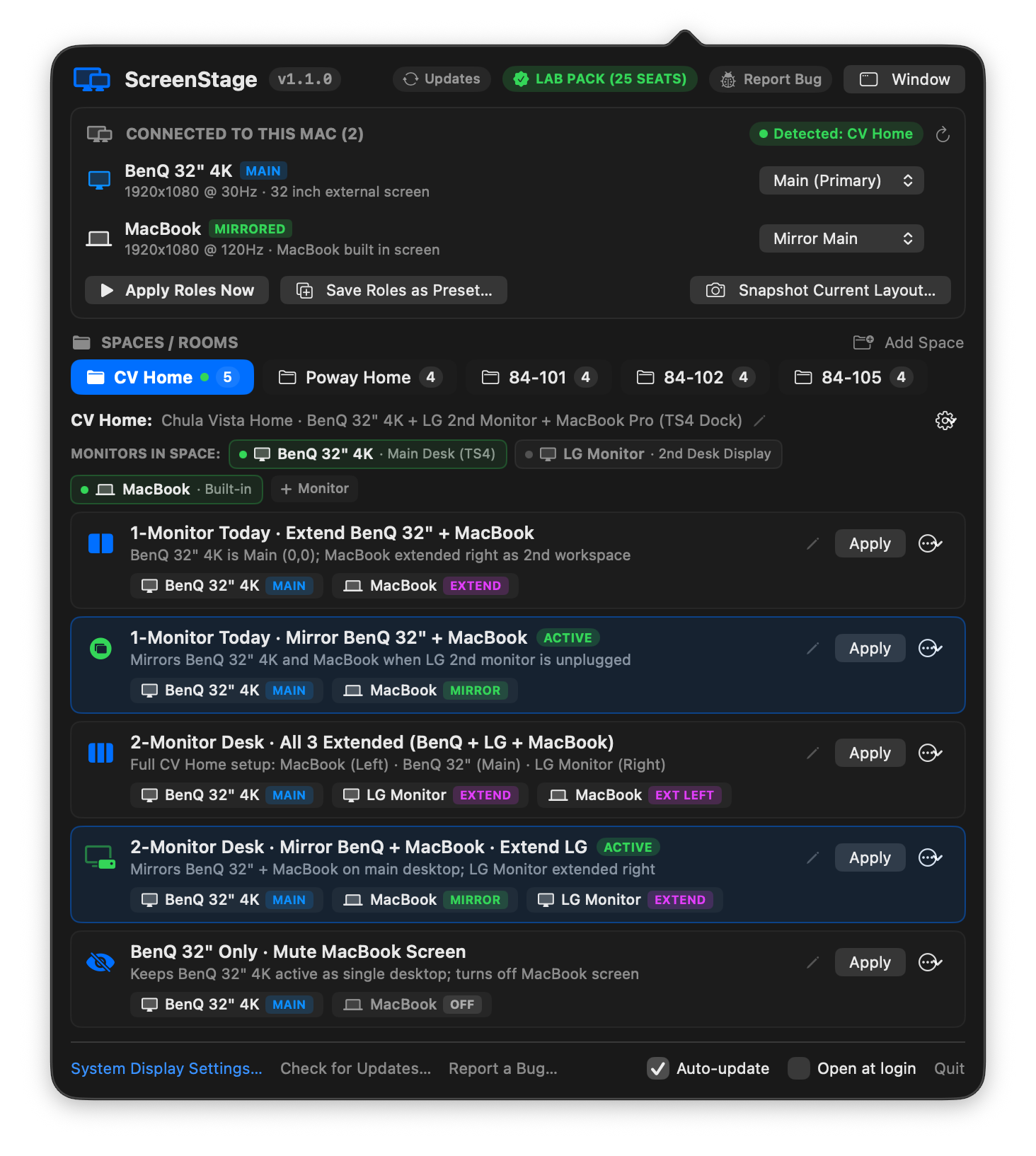
ScreenStage recognizes each space by the monitors connected to your dock or KVM switch. Move from your Home Office to a Studio or Conference Room and your preset list switches automatically.
Plain-English Presets & Notes
Every preset shows clear role badges for each screen (MAIN, MIRROR, EXTEND, or OFF). Click any monitor or room to edit its name and description in plain English.
Hide Screens You Aren't Using
Laptop tucked away in a rack or closed on a shelf? Mark it hidden in that room so your presets stay clean, or turn one monitor off while keeping the rest of your setup working.
Works on Roaming Laptops and Fixed Desktops
Whether you carry a laptop between locations or run a dedicated desktop workstation in one room, ScreenStage adapts its interface automatically.
Switch Spaces Automatically as You Travel
Keep separate presets for your Home Desk, Office, Studio, and Living Room TV. ScreenStage highlights the active room with a green dot the moment you plug in and remembers monitors even when they are unplugged.
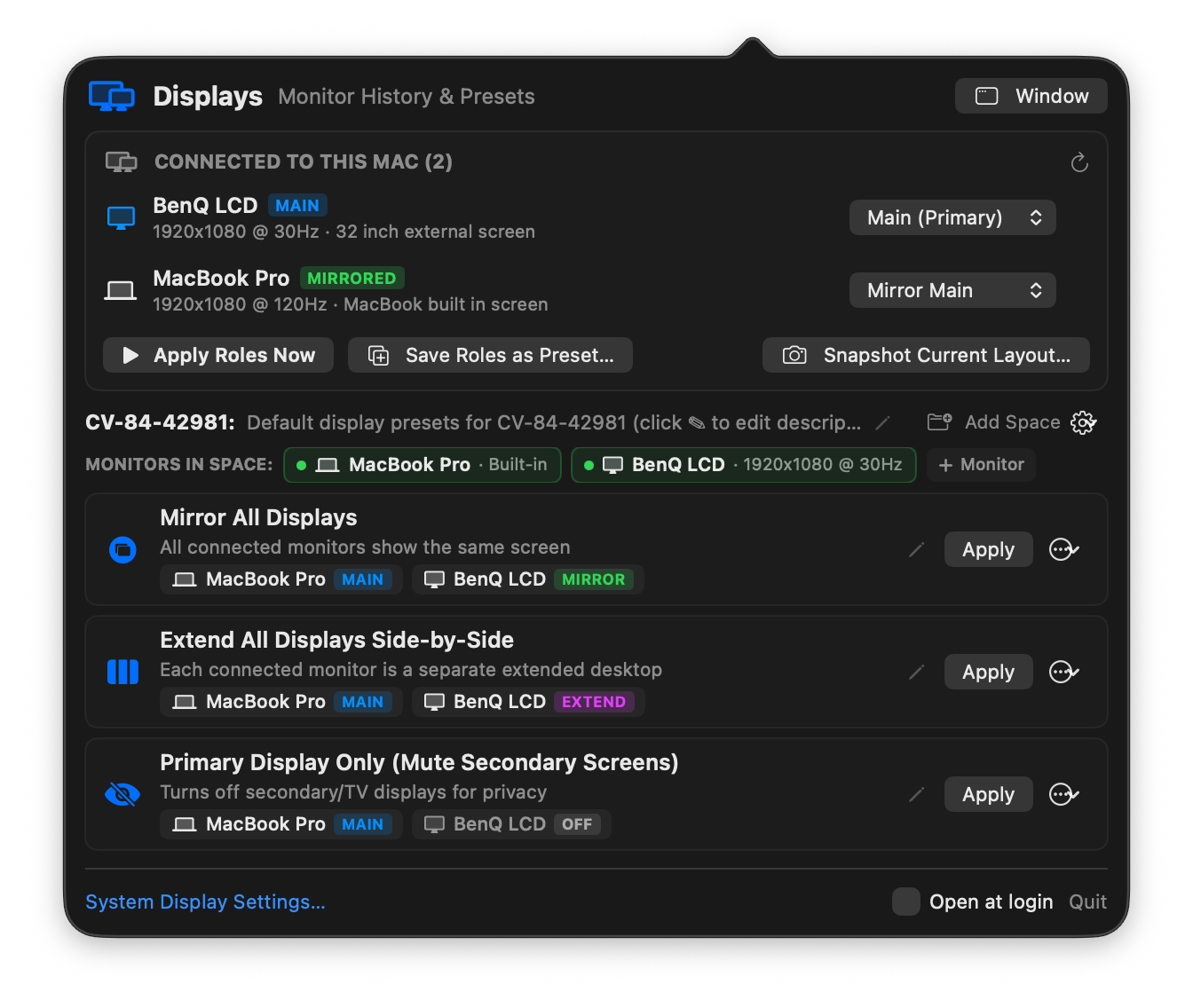
Zero Clutter for Dedicated Workstations
A desktop PC or studio Mac that never leaves its desk doesn't need tabs for other rooms. ScreenStage automatically hides room tabs when you only use one space, showing just your monitors and 1-click presets.
One License Covers Mac, Windows & Linux
Use ScreenStage across every machine you own. All three platforms share the same preset format, include a desktop window and fast command-line companion, and check for software updates automatically.
ScreenStage.app) with 1-click updates and bug reporting.
ScreenStage.exe) with full KVM switch and HDMI TV support.
xrandr) and Wayland (wlr-randr / KDE) with hardware EDID monitor naming.
Buy Once. Use Across All Your Screens.
No recurring subscriptions. Your license key and installers for macOS, Windows, and Linux unlock immediately after checkout.
Ideal for individuals switching monitors between a home desk, living room KVM TV, and office or travel setup.
- ✓ Activate on up to 3 personal machines (Mac, Windows, or Linux)
- ✓ Unlimited rooms, monitor histories & 1-click role presets
- ✓ Includes signed
ScreenStage.app,ScreenStage.exe& Linux binaries - ✓ Automatic software updates & built-in diagnostic support
Standardize multi-monitor rooms across recording studios, classrooms, edit bays, and shared workstations.
- ✓ Activate on up to 15 studio, lab, or office computers
- ✓ Single-Room Desktop mode for dedicated room machines
- ✓ Share room presets across macOS, Windows & Linux workstations
- ✓ Commercial invoice + ACH / Purchase Order support